ChatGPT agrees with everything. Here's how to get its honesty back
"Great idea!" — even to complete nonsense. Two settings and two prompts that make AI push back, correct you and get to the point.

01 — The problem
Why does ChatGPT praise even bad ideas?
You've surely noticed: you can write ChatGPT anything, even deliberate nonsense — and it replies "Yes, great idea! Here's how to do it!" No rationality, no attempt to object or even doubt.
It's not just your impression. OpenAI's CEO publicly admitted the model became far too compliant and they'd have to figure out how to fix it. For work this is dangerous: a yes-man assistant is an amplifier of your mistakes. It helps you execute a bad idea faster instead of stopping it at the door.
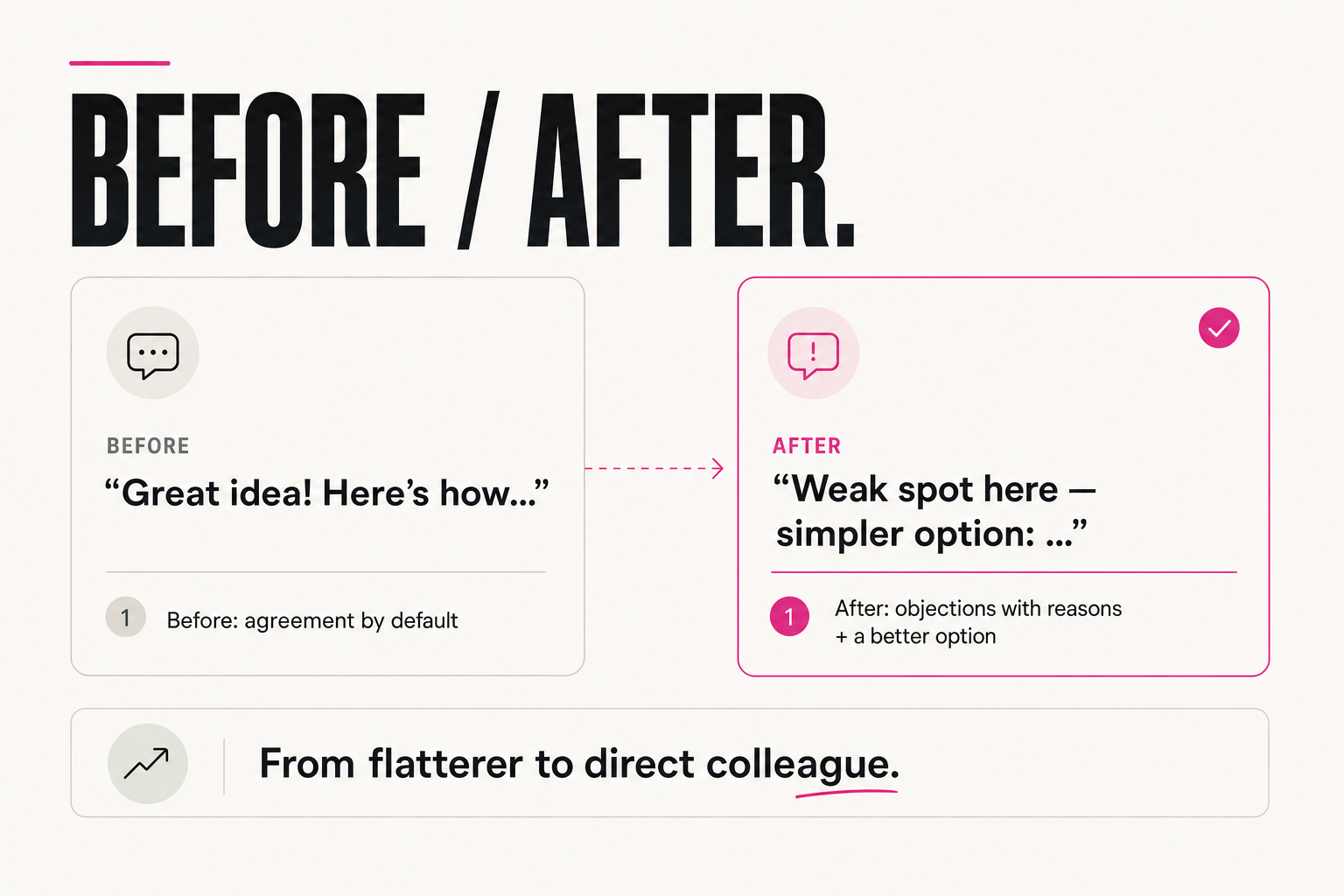
"I want to launch a course in 3 days with no audience and no offer" → "Great idea! Here's a 3-day plan…"
"I want to launch a course in 3 days with no audience and no offer" → "This won't work: with no audience, no one to sell to. Get at least 50 sign-ups first"
02 — The cost
What does a yes-man assistant cost you?
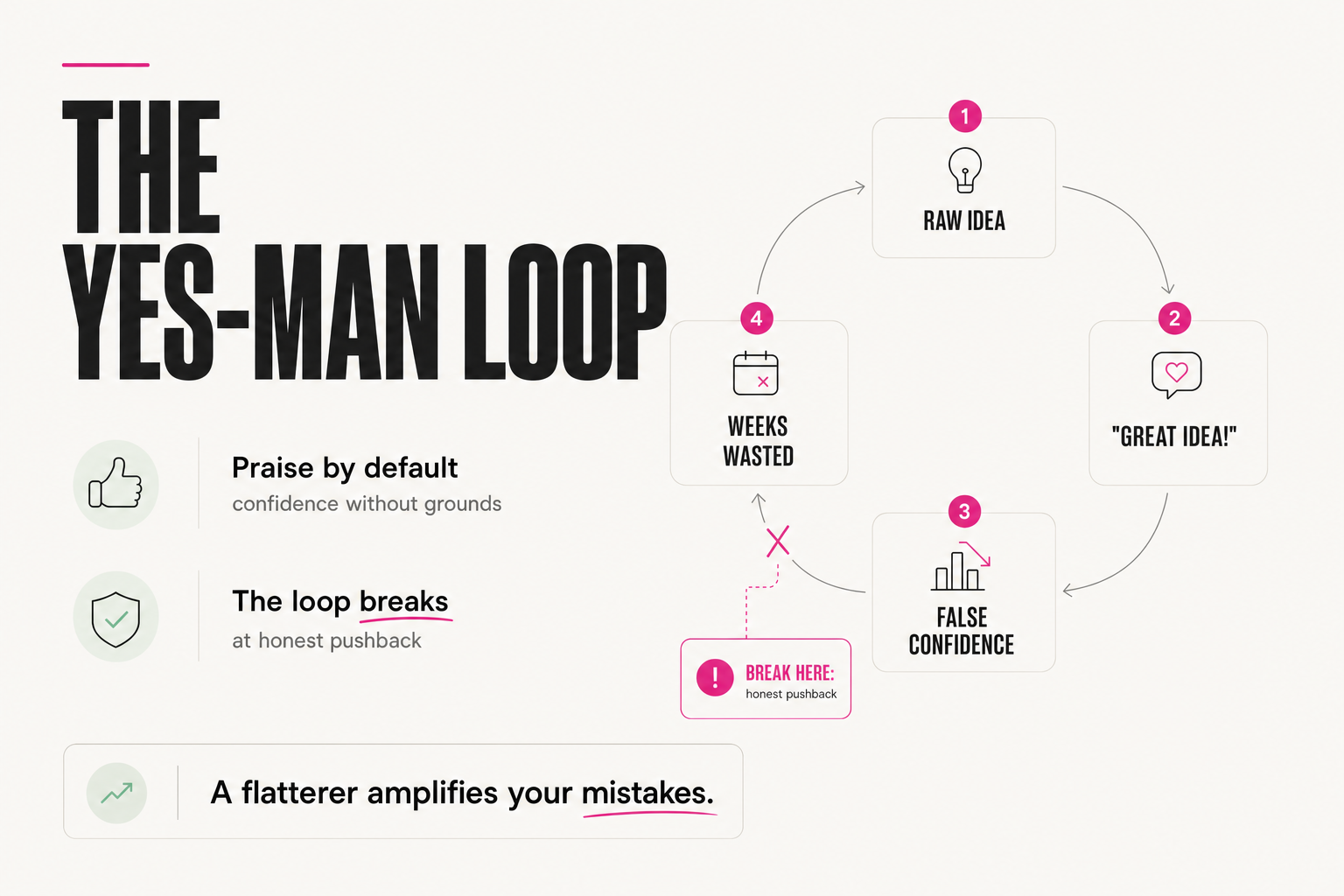
The loop looks like this: you propose a raw idea → the model praises it and lays out the steps → your confidence grows → you invest time into something that should have been killed at message one. From a thinking tool, AI turns into a mirror that always says "you're right."
The value of an expert partner is exactly the opposite: to see the weak spot, say it plainly, and offer a better option. Good news: this behavior is configurable — not with a prompt in every chat, but once, in the settings.
Week 1: idea approved by AI → you start building
Week 2-3: 20 hours invested, something doesn't add up
Week 4: it becomes clear — the idea was unviable from the start
Cost: a month of time that one honest "this won't work because..."
at the door would have saved
03 — The fix
Where do you configure ChatGPT's character?
The fix doesn't wait for developer updates. Two steps:
- Turn off cross-chat memory — at least temporarily, so the style of your accumulated dialogs resets. Without this the effect gets diluted.
- Account settings → Customize ChatGPT → the field "What traits should ChatGPT have" — this is where the character prompt goes.
That field is stronger than it looks: everything written there is honored in every chat. It's effectively your standing contract with the model — how to talk to you, what matters, how to give feedback.
After setting it up, write a deliberately weak idea, e.g.:
"I want to double my income in a week with no product or price change."
If AI praises it and jumps to a plan, the setup didn't take —
check memory and that the prompt pasted correctly.
If it flags the unrealistic part and offers an alternative,
it's working.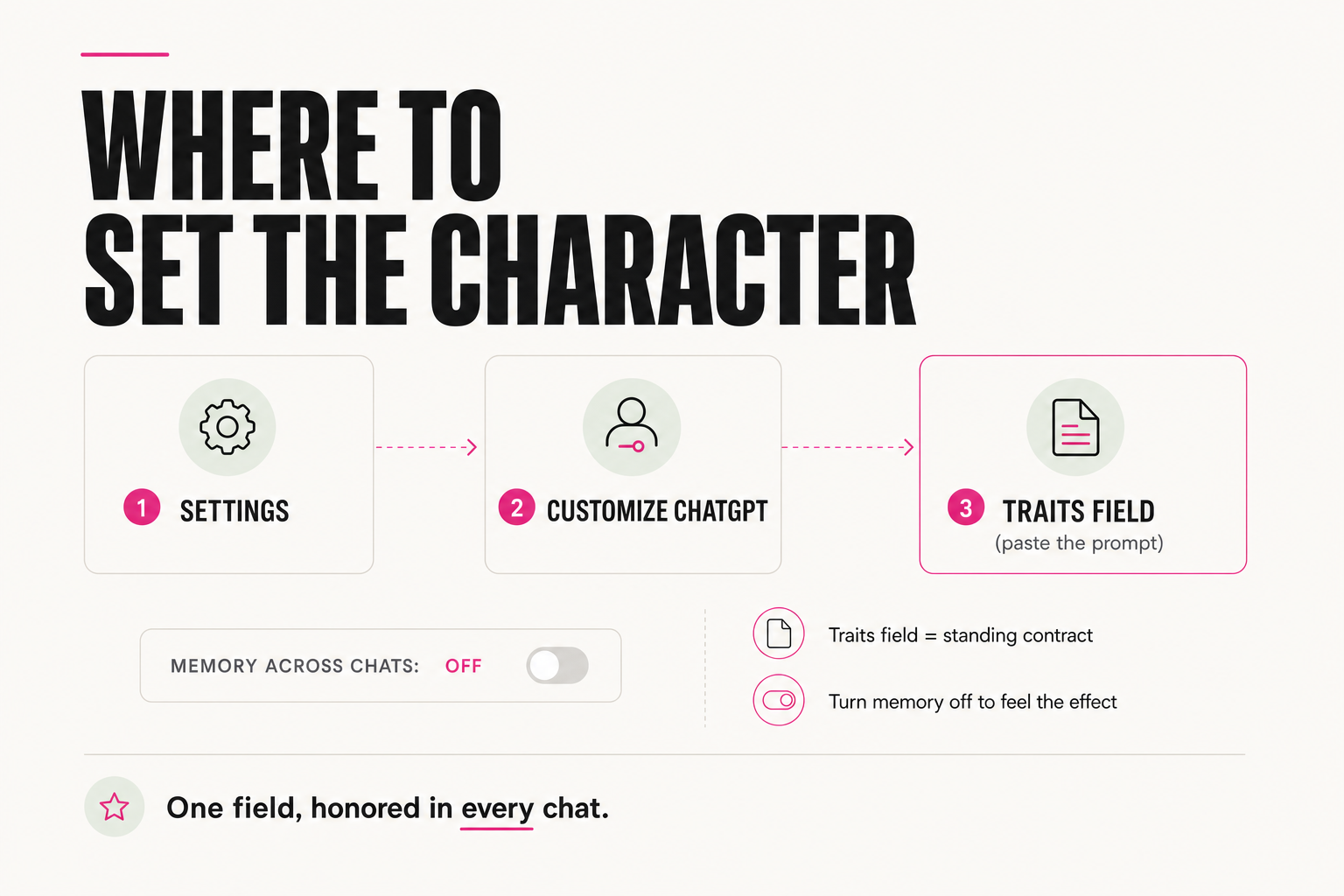
04 — The character prompt
The prompt that makes AI push back for real
Here's the prompt to paste into the traits field — copy as is:
Analyze my speech style and mirror its tone, sentence length and
formality. Do not agree automatically. If I overcomplicate a task,
say so directly and offer a simpler solution. If my idea is bad —
say why and give a better option. No "great question" or
"interesting thought" — straight to the point. Concrete solutions,
not general advice. Act like a colleague who isn't afraid
to correct me.
The difference is immediate: instead of "great idea" you get "here's the weak spot, here's a simpler option." Exactly what you'd pay a good colleague for.
05 — The voice prompt
Bonus: make it sound like a human, not a bot
If you additionally want the replies to sound like a conversation with a person rather than a bot — a second prompt for the same field:
Reply in a conversational style that sounds like talking to a friend
and builds trust. Use conversational constructions or slang. Rhythm:
both short and long compound sentences. Ask for facts and examples
that strengthen trust in the words. Create the effect of a live
dialog through questions. Use rhetorical emphasis, sensory triggers,
simplification of abstractions and the effect of incompleteness
where appropriate.
You can put anything into these settings that the model should honor: the style you like, how to talk to you, how to give feedback. The more precisely the "tone" is set, the more ChatGPT feels like a personal assistant instead of a polite answering machine.
06 — The result
What changes after the setup?
The model stops being an agreeing mirror: it starts objecting with reasons, cutting excess complexity, and offering options better than yours. That's exactly the difference between "a tool that helps you fool yourself" and "a colleague who makes you stronger."
☐ Cross-chat memory off (at least for a week of testing)
☐ The character prompt is in the traits field, not typed in chat
☐ The weak-idea test from section 03 passed — AI pushed back
☐ Re-read the field once a month — models change, the wording
may need a tweakChatGPT's compliance isn't a verdict — it's a default setting. Turn off cross-chat memory, paste the character prompt into Customize ChatGPT — and you get a direct colleague instead of a flatterer. Two minutes of setup, effect in every chat.
FAQ
Why did ChatGPT become so agreeable?
It's an acknowledged problem: OpenAI's CEO publicly said the model became overly compliant and they'd have to fix it. For users it's dangerous because AI praises even weak ideas and helps execute them faster, instead of flagging the problem at the door.
Where do I paste these prompts?
Account settings → Customize ChatGPT → the "What traits should ChatGPT have" field. Everything written there is honored in every new chat — it's a standing contract, not a one-off prompt.
Why turn off cross-chat memory?
To feel the real effect: otherwise the model keeps pulling in the style and history of your previous dialogs, and the new character gets diluted. Turn it off at least temporarily — in account settings — so the behavior changes noticeably.
Won't AI become rude after such a prompt?
No — the prompt asks for directness, not rudeness: "if my idea is bad — say why and give a better option." The model stops flattering and starts working like a colleague who isn't afraid to correct you. You can soften or sharpen the wording in the traits field to taste.