One prompt — and an AI agent runs a full SEO audit of your site
An SEO audit sounds like magic in a foreign language. Here's a giant working 7-block prompt that makes an agent do all of it — with a slide deck as a bonus.

01 — Why
Why is an SEO audit needed — and always postponed?
An SEO analysis sounds like magic in a foreign language. Yet it's genuinely useful for anyone with a site: the audit is what shows where clicks get lost, why pages don't rank, and what to fix first.
But nobody wants to personally untangle 404s, Core Web Vitals and backlink profiles. I get it — I'm the same. Which makes this a perfect task for an AI agent: it has the patience to walk every section, and you're left with just reading the conclusions. An honest note: I'm not an SEO specialist — but the result the agent produced from this prompt was solid anyway.
You open Google Search Console, read about Core Web Vitals, google "what is a canonical tag" — an hour's gone, no audit.
Drop your site URL into the prompt in section 03 — 10-15 minutes later you have a structured 7-block report.
02 — Seven blocks
What the agent checks: the audit map
The prompt is structured in seven blocks — this is the skeleton of a full audit:
- General information — topic, audience, availability, speed, mobile, current traffic;
- Technical audit — 404s, redirects, broken links, robots.txt, sitemap, Core Web Vitals;
- Content and keywords — what already ranks, which pages pull traffic, where the gaps are;
- Off-page factors — backlink profile, brand mentions, reputation;
- UX and behavior — navigation, CTA visibility, engagement;
- Competitors — comparison with 3–5 main ones, where they're stronger;
- Recommendations — a concrete list, sorted by priority.
The point of the structure: the agent doesn't "skim the site" — it follows a procedure, like a junior specialist with a checklist.
Just check the technical side of [your site URL]: broken links,
load speed, mobile adaptation, whether sitemap.xml exists.
Give me the 3 most critical issues costing me traffic right now —
skip the rest of the audit.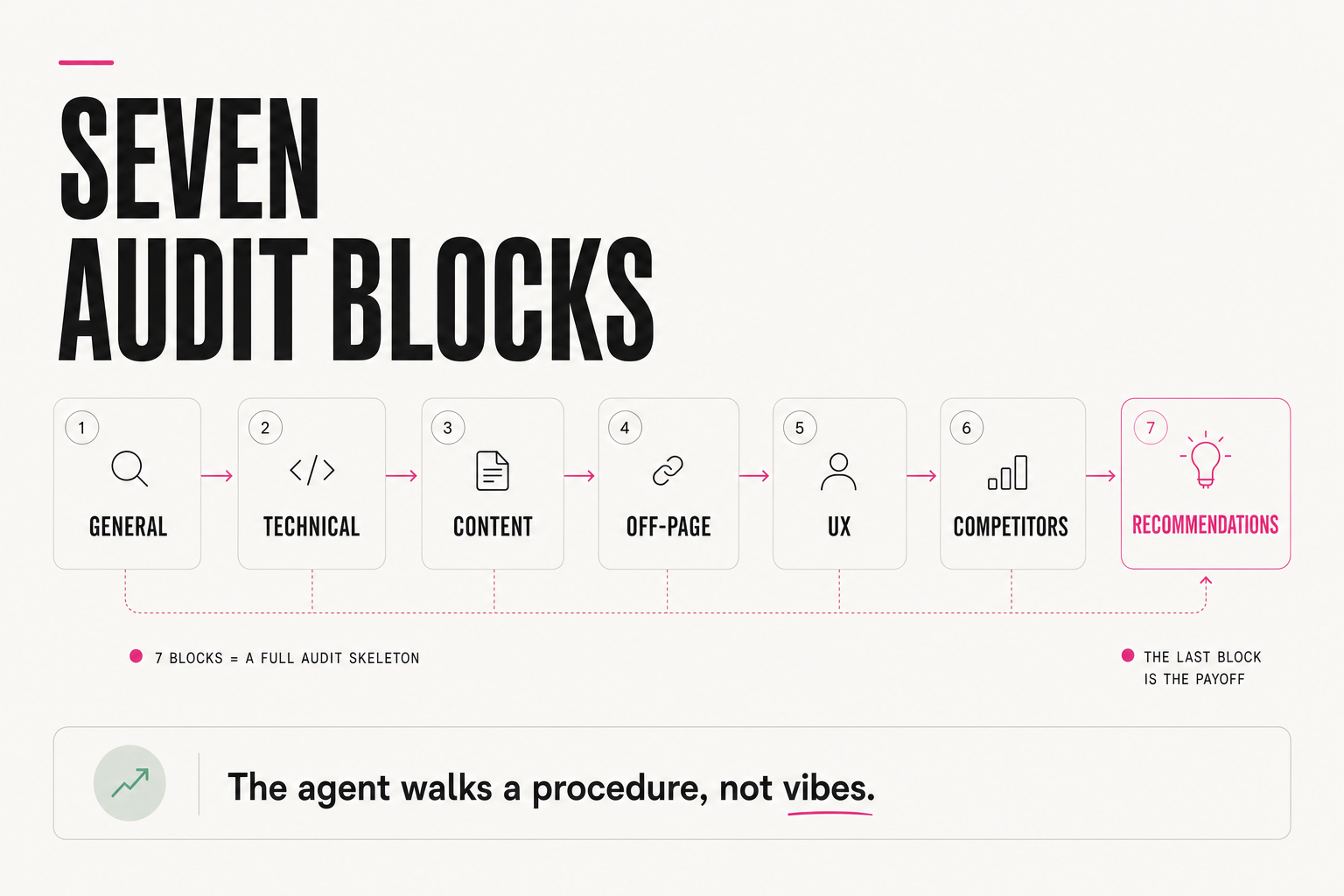
03 — The prompt
The giant prompt: copy as is
Run a full SEO analysis of the site [your site URL].

1. General information: a brief description of the site (topic,
audience, goal); availability across devices, load speed, mobile
adaptation; current traffic and general metrics (public sources).

2. Technical audit: 404 errors, redirects, broken links, server
errors; a crawl with a page map; robots.txt and sitemap.xml;
Core Web Vitals (speed, CLS, LCP, FID).

3. Content and keywords: which keywords already rank; which pages
pull the most traffic; content uniqueness and quality; key gaps —
which queries and topics are underserved.

4. Off-page factors: backlink profile (who links, anchor list,
link quality); brand mentions; reputation (reviews, discussions,
risks).

5. UX and behavior: navigation structure; CTA visibility;
engagement (time on site, depth, bounce).

6. Competitor analysis: compare with 3–5 main competitors (pick
them yourself); where they're stronger in SEO.

7. Improvements: a list of concrete recommendations by priority —
high (immediate impact), medium (worth doing), low (long-term).

Bonus: assemble the results into a presentation for the team.
Drop in your site and send it. The prompt works best in agents with internet access (Manus, Claude with a browser, ChatGPT with browsing): they need to actually walk the pages.
04 — Priorities
Why is the priority block the most important one?
The most valuable part of an audit isn't the diagnoses — it's the triage: what to fix now, what's worth doing, what's long-term. Without it, an audit becomes a terrifying 40-item list that paralyzes.
That's why the prompt demands three buckets: high priority (immediate impact), medium and low. Once you get the report, work only on the first bucket — usually 3–5 items that deliver most of the effect. Everything else goes to the backlog.
High priority: fixable in 1 day, affects 10%+ of pages, or fully
blocks indexing (e.g. a robots.txt error).
Medium: fixable in a week, affects one specific site section.
Low: an improvement, not urgent, effect spread over months.
Ask the agent to apply these criteria explicitly, not "by eye."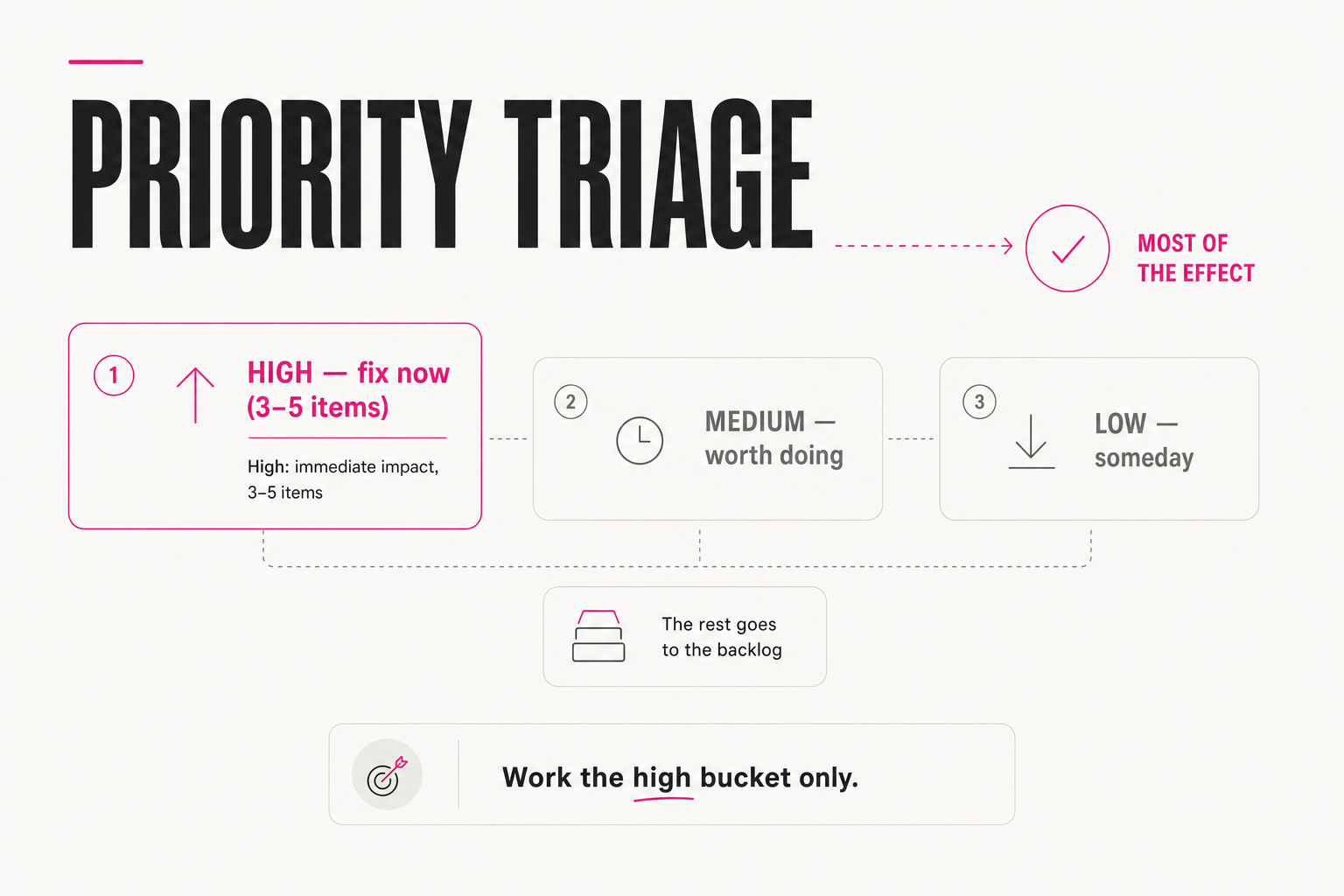
05 — The deck
Why ask for a presentation too?
The last line of the prompt — "assemble the results into a presentation" — looks like a detail, but it's half the value. An audit for yourself is one thing; nicely assembled slides can go straight to your team, contractor or client with no manual repackaging.
It's a general principle of working with agents: ask not for "an analysis" but for a finished artifact in the format you need — a report, a deck, a table. An agent with a destination for the result finishes the job instead of leaving you a half-product.
Assemble an 8-10 slide deck: 1) overall site score,
2) top-3 high-priority problems with numbers,
3) the rest of the findings by block, briefly,
4) a 30-day action plan. Style — for showing the team,
no technical jargon on the first slides.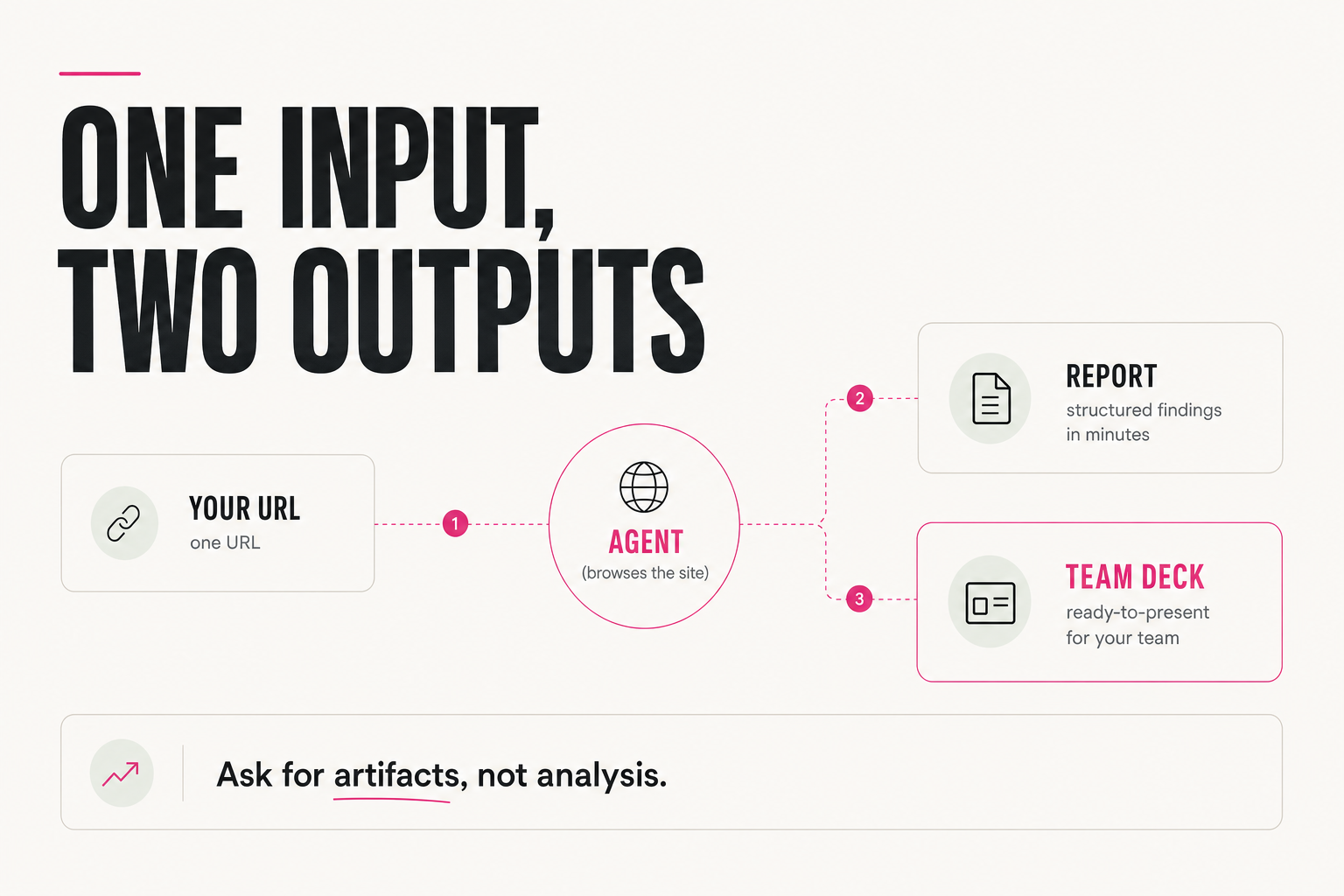
06 — Limits
What won't this prompt replace?
Honestly: an agent on this prompt makes a strong first pass — but doesn't replace an SEO specialist on a serious project. Some data (exact traffic, rankings) it estimates from public sources without access to your analytics — approximately. Double-check conclusions before rebuilding your site around them.
☐ Exact traffic/ranking numbers — cross-check against your Search Console
☐ "Competitors are weaker on X" — verify on 2-3 live pages by hand,
the agent may not have crawled the whole site
☐ Redesign recommendations — discuss with a developer before starting
If 2+ items don't match reality, ask the agent again and ask
where exactly the data came from.An SEO audit is a perfect task for an AI agent: procedural, multi-step, boring. One 7-block prompt gives you a problem map, priorities and a deck for the team. Start with the high-priority bucket — and your site stops quietly leaking traffic.
FAQ
Which AI should I give this prompt to?
An agent with internet access: Manus, Claude with a browser, ChatGPT with browsing. It needs to actually walk your site's pages, check links and look at competitors. In a regular chat with no network access, the audit will come out shallow.
How much can I trust this audit?
As a strong first pass. Structural things (broken links, speed, content gaps, competitor comparison) the agent finds well. Exact traffic and ranking numbers, without your analytics, it estimates from public sources — approximately. Double-check before big decisions.
What should I do with the result first?
Work only on the high-priority bucket — usually 3–5 items that deliver most of the effect. Medium and low go to the backlog. An audit without priority triage paralyzes with a 40-item list, which is why the triage is baked into the prompt.
Can I adapt the prompt to my needs?
Yes, it's a skeleton: drop blocks you don't need (say, competitors), add your own (local SEO, specific pages). The key is to keep the block structure and the priority buckets: they're what turns "skim my site" into a procedural audit.